

Aruba ED Card Problems: Common Issues and How to Fix Them
Aruba ED Card problems range from website crashes and payment failures to form errors, but every issue has a straightforward fix if you know the right steps. This guide covers the most common problems travelers face with the Aruba ED Card application and provides actionable solutions for each one. Whether the edcardaruba.aw website is not loading, your payment is being declined, or you submitted incorrect information, the answers are here.
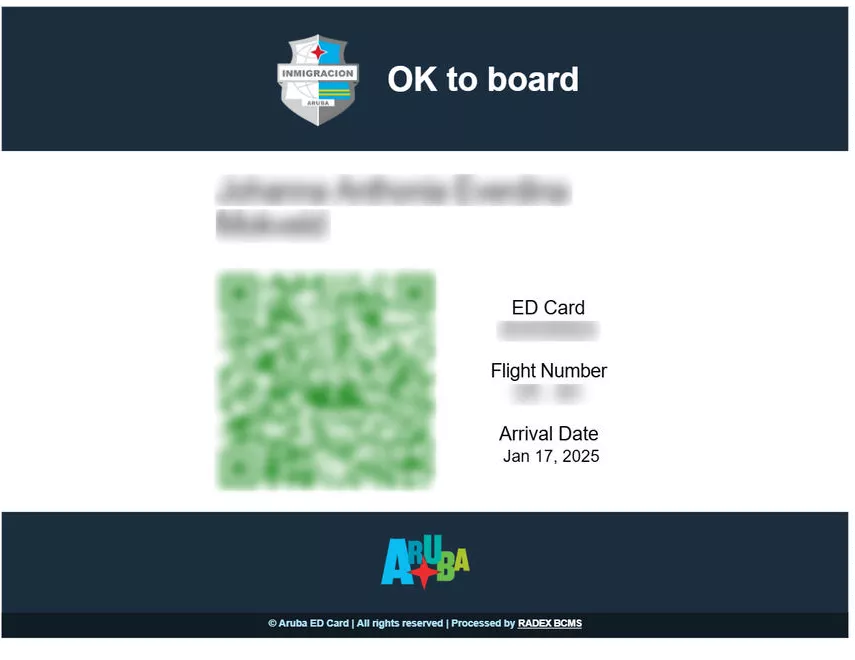
Common Aruba ED Card Problems
The most frequent ED Card problems are website loading failures, payment processing errors, and incorrect form submissions – each with specific solutions. Travelers report these issues across forums like Reddit, TripAdvisor, and Facebook travel groups, making them well-documented and solvable.
The three main categories of Aruba ED Card problems are:
- Website technical issues – pages not loading, buttons not responding, error messages during submission
- Payment processing failures – credit card declined, payment timeout, double charges
- Form submission errors – wrong passport number, incorrect dates, misspelled names
Understanding which category your problem falls into is the first step toward resolving it. Each type requires a different approach, and the solutions below are organized by problem category for quick reference.
ED Card Website Not Working
Browser compatibility issues and server overload during peak travel season are the primary causes of the ED Card website not loading properly. The edcardaruba.aw portal is the only official website for Aruba ED Card applications, and when it experiences technical difficulties, travelers have no alternative application method.
Browser Compatibility Issues
The ED Card website works best with modern, up-to-date browsers. Travelers using outdated browser versions or less common browsers frequently report problems with form fields not loading or buttons becoming unresponsive.
Recommended browsers for the Aruba ED Card application:
- Google Chrome (version 100 or newer) – most widely tested with the portal
- Safari (version 15 or newer) – recommended for iPhone and Mac users
- Mozilla Firefox (version 100 or newer) – good alternative if Chrome has issues
- Microsoft Edge (version 100 or newer) – compatible with most features
If the website is not loading in your current browser, try clearing your browser cache and cookies, then reload the page. Disable any ad-blockers or VPN extensions that might interfere with the form submission process.
Mobile Device Problems
Mobile users, particularly those on Samsung and Android devices, report higher rates of technical issues with the ED Card website. The form fields may not display correctly on smaller screens, and the payment processing page can become unresponsive on mobile browsers.
If you must complete the ED Card on a mobile device, use Chrome for Android or Safari for iPhone. Avoid using in-app browsers from Facebook, Instagram, or email clients, as these have known compatibility issues with the payment gateway.
Server Overload During Peak Periods
The ED Card website experiences increased traffic during peak travel seasons (December-January, June-August, and around US holidays). Server overload can cause slow page loading, timeout errors during submission, and payment processing delays.
To avoid peak traffic issues, submit your ED Card application during off-peak hours: early morning (before 8 AM Aruba time, UTC-4) or late evening (after 10 PM Aruba time). Avoid submitting during US business hours when most travelers are completing their applications.
ED Card Payment Problems
Payment processing failures account for a significant portion of ED Card problems, with credit card declines being the most common. The $20 sustainability fee must be paid online during the application process, and there is no offline payment option.
Credit Card Declined
Your credit card may be declined for the ED Card payment even if it works elsewhere. Common reasons include:
- International transaction block – Some banks automatically block transactions from Aruba-based payment processors. Contact your bank to authorize the transaction before applying.
- Insufficient funds – The $20 fee plus any foreign transaction fees must be available on the card.
- Card type not accepted – The ED Card portal accepts Visa, Mastercard, and American Express. Some prepaid cards and virtual cards may not work.
If your card is declined, try a different credit card or contact your bank to authorize the international transaction. Do not attempt to submit the payment multiple times in quick succession, as this can trigger fraud protection and temporarily block your card.
Payment Timeout
Payment timeouts occur when the connection between the ED Card portal and the payment processor is interrupted. This can happen due to slow internet connections, browser issues, or server-side problems.
If your payment times out, wait at least 15 minutes before attempting again. Check your bank statement to see if the charge was processed despite the timeout. If you were charged but did not receive a qualifier, contact support through edcardaruba.aw.
Double Charges
Some travelers report being charged twice for the same ED Card application. This typically happens when the payment page is refreshed or the back button is pressed during processing.
If you experience a double charge, do not submit a third payment. Contact the ED Card support team through edcardaruba.aw with your passport number and payment receipts. Refund processing typically takes 5-10 business days depending on your bank.
Mistakes on Your ED Card Form
Once submitted, the Aruba ED Card cannot be edited – mistakes require a completely new application and an additional $20 sustainability fee. This is one of the most common problems travelers face, and it is also one of the most costly to fix.
Common Form Mistakes
The most frequently reported ED Card form mistakes include:
- Name not matching passport – Even small discrepancies like a missing middle name, hyphen, or accent mark can cause problems at check-in. Your name on the ED Card must match your passport exactly.
- Wrong arrival date – Submitting an incorrect travel date is a high-risk error that can result in boarding denial. Airlines cross-reference the ED Card date with your flight booking.
- Wrong flight number – Entering the departure flight number instead of the arrival flight number (or vice versa) is a common mistake that should be corrected.
- Incorrect accommodation address – Entering the wrong hotel name or address is lower risk but can raise questions at immigration.
How to Fix a Submitted ED Card
Since the Aruba ED Card cannot be edited after submission, fixing mistakes requires these steps:
- Go to edcardaruba.aw and start a completely new application
- Enter all information correctly, double-checking every field against your passport
- Pay the $20 sustainability fee again (if you are age 8 or older)
- Submit and receive a new qualifier
- Use the new qualifier for your trip – the old one with errors should be disregarded
The new qualifier automatically replaces the old one. Airlines check the most recent valid qualifier for your passport at the time of check-in.
Is It Worth Resubmitting for Minor Errors?
For very minor errors (a single wrong letter in your name, for example), the risk of problems at check-in is lower but not zero. Some travelers report no issues with minor discrepancies, while others have been questioned by airline staff.
The safest approach is always to resubmit with correct information. However, if the error is truly minor and your trip is imminent, the risk assessment is a personal decision. High-risk errors (wrong name, wrong date, wrong flight number) should always be corrected by resubmitting.
Application Denied or Rejected
Applications are commonly denied for submitting outside the 7-day window or providing information that does not match the passport. Understanding the common denial reasons helps travelers avoid this problem entirely.
Timing-Related Denials
The Aruba ED Card must be submitted within 7 days of your arrival date. Applications submitted earlier than 7 days before arrival will be rejected. Applications submitted at the last minute (same day) may not be processed in time.
The optimal submission window is 3-5 days before your flight. This gives enough time for processing while staying within the required window. If you are traveling tomorrow and just discovered you need to submit or resubmit your ED Card, do so immediately – same-day processing is possible but not guaranteed.
Information Mismatch Denials
If the information on your ED Card does not match your passport, the application may be denied or flagged for review. Common mismatches include:
- Name spelling differs from passport (including middle names and special characters)
- Passport number entered incorrectly
- Nationality or country of residence does not match passport
Duplicate Application Issues
Submitting multiple applications in quick succession can cause system errors or flag your passport for review. If you need to resubmit due to a mistake, wait at least 30 minutes between submissions to avoid duplicate processing issues.
How to Fix Any ED Card Problem
Every ED Card problem follows a clear resolution path – technical issues need browser troubleshooting while content errors require a fresh submission. Use this decision tree to resolve your specific issue:
Step 1: Identify the problem type
– Website not loading or form not working? – Go to Technical Troubleshooting
– Payment declined or timeout? – Go to Payment Solutions
– Wrong information submitted? – Go to Form Correction
– Application denied or rejected? – Go to Denial Resolution
Step 2: Technical Troubleshooting
1. Clear browser cache and cookies
2. Disable ad-blockers and VPN extensions
3. Try a different browser (Chrome recommended)
4. Try a different device (desktop preferred over mobile)
5. Try during off-peak hours
6. If the problem persists, contact support at edcardaruba.aw
Step 3: Payment Solutions
1. Contact your bank to authorize international transactions
2. Try a different credit card (Visa, Mastercard, or American Express)
3. Wait 15 minutes between payment attempts
4. Check bank statement for pending charges
5. Contact ED Card support if charged but no qualifier received
Step 4: Form Correction
1. Start a new application at edcardaruba.aw
2. Enter correct information matching your passport exactly
3. Pay the $20 fee again
4. Submit and save the new qualifier
Step 5: Denial Resolution
1. Check the denial reason (timing vs. information mismatch)
2. If timing: resubmit within the 7-day window
3. If information: correct the mismatched fields in a new application
4. Contact immigracion.aw for complex cases
Contacting Support
For problems that cannot be resolved through self-service troubleshooting, contact support through these channels:
- edcardaruba.aw – Official support/contact section of the portal
- Aruba Immigration Department – via immigracion.aw for complex immigration issues
- Your airline – For questions about ED Card verification at check-in
Allow sufficient time before your flight when contacting support. Resolving issues the day before departure is far less stressful than discovering a problem at the check-in counter.
Fake ED Card Websites: How to Spot Them
Scam websites posing as the official ED Card portal exist and can steal personal data – always verify you are on edcardaruba.aw before entering personal information. The Aruba government has issued warnings about fake websites that mimic the official ED Card application process.
Red Flags for Fake ED Card Websites
Watch for these warning signs that indicate a website is not the official ED Card portal:
- Different URL – The only official website is edcardaruba.aw. Any other URL (including .com, .org, .net variations) is not the official portal.
- Higher fees – The official ED Card costs $20 per person (age 8+). Websites charging more than $20 are likely third-party services or scams.
- Requesting unnecessary information – The official form does not ask for your Social Security number, bank account details, or credit card CVV beyond the payment step.
- No HTTPS security – The official site uses HTTPS encryption. Look for the padlock icon in your browser address bar.
- Poor grammar and spelling – Official government websites maintain professional language standards.
How to Verify You Are on the Official Site
- Type edcardaruba.aw directly into your browser address bar (do not click links from emails or ads)
- Verify the URL starts with https:// and shows a padlock icon
- Check that the domain is exactly edcardaruba.aw (not a variation like edcardaruba.com or ed-card-aruba.aw)
- The official site should display the Aruba government branding
If you accidentally entered personal information on a fake website, contact your bank immediately to secure your credit card and monitor for unauthorized charges.
Preventing ED Card Problems
Preparation is the best strategy – preparing documents early and using a modern supported browser prevents the majority of ED Card application problems. Follow this checklist before starting your application:
Document Preparation Checklist
Have these documents and information ready before starting the ED Card application:
- Valid passport – Check that your passport is valid for the duration of your trip
- Flight details – Arrival and departure flight numbers, dates, and times
- Accommodation information – Hotel name and address in Aruba (or residential address if staying with someone)
- Credit card – Visa, Mastercard, or American Express with at least $20 available
- Email address – A working email to receive your qualifier confirmation
Technical Preparation
- Use an up-to-date browser (Chrome, Safari, Firefox, or Edge)
- Ensure stable internet connection (avoid public WiFi for payment processing)
- Disable ad-blockers and VPN extensions before starting
- Close unnecessary browser tabs to prevent memory issues
Timing Recommendations
- Submit your ED Card 3-5 days before your flight
- Apply during off-peak hours (early morning or late evening Aruba time)
- Allow time to resubmit if you encounter any issues
- Save your qualifier confirmation in multiple formats (email, screenshot, printout)
FAQ
How long does an Aruba ED Card last?
The Aruba ED Card is valid for a single entry. Each trip to Aruba requires a new ED Card application. The card does not expire in the traditional sense but is tied to your specific travel dates.
Can I get into Aruba without an ED Card?
No. The Aruba ED Card is a mandatory entry requirement for all visitors. Airlines verify your ED Card qualifier at check-in, and immigration officers check it upon arrival in Aruba. Traveling without a valid ED Card will result in denied boarding.
Is the Aruba online ED Card legit?
Yes, the Aruba ED Card at edcardaruba.aw is the official, legitimate portal operated by the Aruba government. However, be cautious of fake websites that mimic the official portal. Always verify the URL is exactly edcardaruba.aw before entering personal information.
Should I avoid Aruba right now?
There is no current travel advisory specific to Aruba that would require avoiding the island. The ED Card system is functioning normally, though occasional technical issues are reported by travelers. Check the official Aruba tourism website at aruba.com for the latest travel information.
How to complete the Aruba ED Card?
Visit edcardaruba.aw, fill in your personal information exactly as it appears on your passport, enter your travel and accommodation details, pay the $20 sustainability fee, and submit. You will receive a qualifier confirmation via email.
Do you need to fill out an ED Card when leaving Aruba?
The ED Card is primarily an entry requirement. However, you may need to present your qualifier when departing Aruba as part of the immigration process. Keep your qualifier accessible throughout your trip.
How long is the Aruba ED Card valid?
The ED Card is valid for your specific trip dates as entered in the application. It is a single-entry document and must be reapplied for each visit to Aruba.
What happens if my ED Card payment fails?
If your payment fails, wait 15 minutes and try again with a different credit card. Contact your bank to authorize international transactions if the card is being declined. Do not attempt multiple rapid payment attempts as this may trigger fraud protection.
Can I edit my ED Card after submission?
No. The Aruba ED Card cannot be edited once submitted. If you made a mistake, you must submit a completely new application at edcardaruba.aw and pay the $20 sustainability fee again. The new qualifier replaces the old one.
What is the official Aruba ED Card website?
The only official Aruba ED Card website is edcardaruba.aw. Be cautious of third-party websites that may charge additional fees or collect your personal data under false pretenses. Always verify the URL before entering sensitive information.
Why was my Aruba ED Card application denied?
Common reasons for ED Card denial include submitting outside the 7-day window before arrival, providing information that does not match your passport, or technical errors during submission. If denied, check the reason and resubmit with corrected information within the proper timeframe.
How much does the Aruba ED Card cost?
The Aruba ED Card costs $20 per person aged 8 and older. Children under 8 are exempt from the fee. The payment is made online during the application process via credit card (Visa, Mastercard, or American Express).